

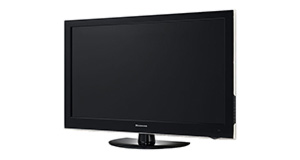
Sandstrom S22FED12 overview

Number of problems: 11

Number of solved problems: 5

Number of unsolved problems: 6

Problem resolution: 45%

Compared to other tvs:

Sandstrom S22FED12: Likelihood of getting a solution

Excellent 
Ranking: 49th out of 381
Most likely to get a solution:
Samsung PS51F8500 - problem resolution score of 100%
Least likely to get a solution:
Toshiba 32BV701B - 5 out of 14 problems solved
Common problems with the Sandstrom S22FED12


Solutions for the Sandstrom S22FED12
0 people also had this problem.

Problem: How do I connect my computer to my TV? I can't seem to get any sound.

There are 0 comments on this problem.

Solution 1: You might need to send a separate audio cable to your TV, even if you're connecting via HDMI.
0 out of 0 people found this solution helpful.
Was this solution helpful?
There are 0 comments on this solution.

Post comments, submit alternative solutions or receive notifications


0 people also had this problem.

Problem: I get a green or blue screen, but I can hear the sound coming from the TV channel.

There are 0 comments on this problem.

Solution 1: Golden rule 1: Change channel and see if you can change back and make it work.
Golden rule 2: Turn it off and on again.
0 out of 0 people found this solution helpful.
Was this solution helpful?
There are 0 comments on this solution.

Post comments, submit alternative solutions or receive notifications


0 people also had this problem.

Problem: Picture has speckles or sparkles while watching.

There are 0 comments on this problem.

Solution 1: This is likely to be a cable problem. Try with a different cable if you have one handy. Cheaper cables are more likely to do this, particularly if they are quite long (over 5 metres)
0 out of 0 people found this solution helpful.
Was this solution helpful?
There are 0 comments on this solution.

Post comments, submit alternative solutions or receive notifications


0 people also had this problem.

Problem: Picture comes on, then goes off, sometimes flickers.

There are 0 comments on this problem.

Solution 1: Probably a loose cable connection. Try fiddling around with the cable while it's on and see if it helps.
0 out of 0 people found this solution helpful.
Was this solution helpful?
There are 0 comments on this solution.

Post comments, submit alternative solutions or receive notifications


0 people also had this problem.

Problem: Hello, does anyone know how to take back off, I have problems with the DVD player?

There is 1 comment on this problem. Show/Hide
- Did you fix the DVD problem. We're having to open it up as the DVD player won't stop. Playing and overheating
Helpful: 0/0     Do you think this comment was helpful?

Solution 1: I asked the question, I had to do it myself, the back is double sided taped to the screen,I used a plastic knife going around back a few time loosening as you go. I have to say it is very Cheap China in there. Moral of the story with my 18 month old TV is buy a bigger brand with spares and updates!
1 out of 1 person found this solution helpful.
Was this solution helpful?
There are 0 comments on this solution.

Post comments, submit alternative solutions or receive notifications


0 people also had this problem.

Problem: The TV won't turn on.

There is 1 comment on this problem. Show/Hide
- I am having the same problem, just been a several forums and it's a very common problem with apparently no solution!
Helpful: 0/1     Do you think this comment was helpful?

Solution 1: First solution: check the power. Yes, I know it's obvious, but if the fuse has gone in the plug, if the cable is loose or if you've overlooked a second power switch, this might be your problem. If you have any indication of power at all (e.g. power light), you can discount this.
Alternative Solution: Is the plug in/on also have you checked the cables are in correctly (it's worth checking them over)
0 out of 1 person found this solution helpful.
Was this solution helpful?
There are 0 comments on this solution.

Post comments, submit alternative solutions or receive notifications


1 person also had this problem.

Problem: The picture is very poor on freeview. I get interference, blocks appearing, clicking sounds and a generally unwatchable picture.

There are 0 comments on this problem.

Solution 1: This sounds like a poor signal. Go into the menu and see if you can check the signal strength. To solve this, you will need to either (1) Retune your TV to a more local transmitter, (2) Improve / reposition your TV aerial, or (3) Check the cable that connects your TV to the aerial - replacing this will be easier and cheaper that replacing the antenna.
0 out of 0 people found this solution helpful.
Was this solution helpful?
There are 0 comments on this solution.

Post comments, submit alternative solutions or receive notifications


Jump to page: [1]

Post a new question about the Sandstrom S22FED12
All problems on this page have been submitted and answered by users. If you have a problem with the Sandstrom S22FED12, please submit it below and we'll post it here.

Details of your problem:
Please ensure that the above box is not empty


Please note that all problems are moderated.


  Back to top
Solve an unsolved problem for the Sandstrom S22FED12

Can you help?
If you can solve a currently unsolved problem, please select the problem you can solve from the list below.
Even if you can't solve it, you can still comment on problems if you think it would help.


Jump to page: [1] [2]
0 people also had this problem.

Problem: TV stuck on channel 9.

There are 0 comments on this problem.

Post solution, add your comments or receive notifications


0 people also had this problem.

Problem: What are the channel numbers for the radio?

There are 0 comments on this problem.

Post solution, add your comments or receive notifications


0 people also had this problem.

Problem: My tv shows very bright and I cannot find how to store once changing settings.

There are 0 comments on this problem.

Post solution, add your comments or receive notifications


4 people also had this problem.

Problem: The TV Just Clicks on off and will not power up.

There is 1 comment on this problem. Show/Hide
- this problem is caused by a 2200uf 10v capacitor on the mainboard.very very common and a underrated part.
Have fun dismantling!,I sure did!
Helpful: 0/1     Do you think this comment was helpful?

Post solution, add your comments or receive notifications


2 people also had this problem.

Problem: I cannot eject my dvd. When TV is on the screen says 'No Disc'. When I try to eject DVD I get msg 'Disc not ready'. I have tried powering down etc etc but no joy! Help please.

There are 0 comments on this problem.

Post solution, add your comments or receive notifications


4 people also had this problem.

Problem: The DVD player seems to be permanently stuck on, even without a DVD in the TV.

There are 0 comments on this problem.

Post solution, add your comments or receive notifications


Actions - No registration required
Find a TV
Akai
AquaLite Outdoor
Atec
August
Blaupunkt
Cello
Daewoo
DigiHome
Finlux
Furrion
Haier
Hannspree
Hisense
JVC
LG
Linsar
Loewe
Logik
Panasonic
Philips
Samsung
Sandstrom
Sanyo
Sharp
Sony
Soundwave
Technika
Toshiba
Visitech