

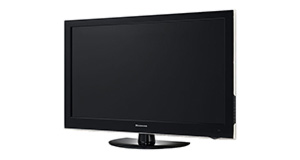
Logik L22FED13 overview

Number of problems: 44

Number of solved problems: 14

Number of unsolved problems: 30

Problem resolution: 32%

Compared to other tvs:

Logik L22FED13: Likelihood of getting a solution

Excellent 
Ranking: 36th out of 381
Most likely to get a solution:
Samsung PS51F8500 - problem resolution score of 100%
Least likely to get a solution:
Toshiba 32BV701B - 5 out of 14 problems solved
Common problems with the Logik L22FED13
Solved problem list for the Logik L22FED13
(Click on a problem to see the solution)

Jump to page: [1] [2] [3]

The TV won't turn on.


The screen has s lock on it and can't get passed

Unsolved problem list for the Logik L22FED13
(Click on a problem to comment or help)

Jump to page: [1] ... [5] [6] [7] [8] [9] ... [11]

Dvd keeps saying no signal.i also have a dvd that wont come out .when i switch telly on it shows dvd on input button even though it was on tv when switched off. Only had 4 months


Hi when we turn the tv on it simply comes up on the screen DO NOT POWER OFF and underneath it says SCAN. It then simply will not respond to anything and scans . . . And scans . . . And scans somemore. The standby light stays red during this process. We have tried letting it scan but it continues for hours. HELP ME!!!!! 😫 cheers


tv defaults to dvd mode every time it is turned off and then back on .is there a fix for this out there


Dvd player won't stop searching for a disc, makes a loud buzzing sound, what is the fault and how can this be fixed?


Thin multicoloured band on right of screen


My logic has developed a band of many thin coloured strands from top to bottom of the screen, what can I do please?


I have a 20 inch Logic tv and the front of the tv itself has just broken away from the back. The besel on the front is screwed in in each corner from the back and the plastic casing holding the threaded part for the screw has just crumbled away, its such a poor design. Has anyone else had this problem? The whole front just comes away from the TV. The only thing I can do is tape it all together which look pretty lousy. Not much chance I guess of returning to Curry's with it? Its barely been used as is mu daughters and she has lived away for a year.....not even been properly tuned in as she tends to just play dvd's


IWhen I turn my tv on by the plug the red light comes on but when I try and turn the tv on by the remote the blue light comes on but no picture it is a logik L22DVDB10 can anyone help?


IWhen I turn my tv on by the plug the red light comes on but when I try and turn the tv on by the remote the blue light comes on but no picture


My Logik L19HED14 works perfectly but when connected to a recorder by HDMI some of the function keys on the recorder box cause the TV to lose HDMI signal and I have to go into the TV Input display and select HDMI (it jumps to a random input each time). It then works perfectly, recordeing etc until I use a delete function or Library or Guide function. I have another Logik and recorder in another room without any problems.


Solutions for the Logik L22FED13
1 person also had this problem.

Problem: The TV won't turn on.

There are 0 comments on this problem.

Solution 1: First solution: check the power. Yes, I know it's obvious, but if the fuse has gone in the plug, if the cable is loose or if you've overlooked a second power switch, this might be your problem. If you have any indication of power at all (e.g. power light), you can discount this.
Alternative Solution: Is the plug in/on also have you checked the cables are in correctly (it's worth checking them over)
0 out of 0 people found this solution helpful.
Was this solution helpful?
There are 0 comments on this solution.

Post comments, submit alternative solutions or receive notifications


0 people also had this problem.

Problem: The screen has s lock on it and can't get passed

There are 0 comments on this problem.

Solution 1: For red padlock and blue screen press and hold music button on your remote.i just did and it helped.Nelly Manatha
0 out of 0 people found this solution helpful.
Was this solution helpful?
There are 0 comments on this solution.

Post comments, submit alternative solutions or receive notifications


Jump to page: [1] [2] [3]

Post a new question about the Logik L22FED13
All problems on this page have been submitted and answered by users. If you have a problem with the Logik L22FED13, please submit it below and we'll post it here.

Details of your problem:
Please ensure that the above box is not empty


Please note that all problems are moderated.


  Back to top
Solve an unsolved problem for the Logik L22FED13

Can you help?
If you can solve a currently unsolved problem, please select the problem you can solve from the list below.
Even if you can't solve it, you can still comment on problems if you think it would help.


Jump to page: [1] ... [5] [6] [7] [8] [9] ... [11]
4 people also had this problem.

Problem: Dvd keeps saying no signal.i also have a dvd that wont come out .when i switch telly on it shows dvd on input button even though it was on tv when switched off. Only had 4 months

There are 0 comments on this problem.

Post solution, add your comments or receive notifications


3 people also had this problem.

Problem: Hi when we turn the tv on it simply comes up on the screen DO NOT POWER OFF and underneath it says SCAN. It then simply will not respond to anything and scans . . . And scans . . . And scans somemore. The standby light stays red during this process. We have tried letting it scan but it continues for hours. HELP ME!!!!! 😫 cheers

There is 1 comment on this problem. Show/Hide
- Hi exactly the same problem with a colleagues Logik tv it seems it is something to do with the eeprom chip in the main board, if you continually keep switching on and off the power to the tv every time it says DO NOT POWER OFF SCAN it occasionally will start as normal and be fine but if you turn it off either with the remote or the mains next time you power up it will go back into the really annoying loop.
When it occasionally starts up I have tried resetting it to factory settings to no avail I have not given up yet I even managed once to get into the engineers menu but not sure how I did it.
I will keep you posted if I find any more info, cheers for now.
Helpful: 1/1     Do you think this comment was helpful?

Post solution, add your comments or receive notifications


2 people also had this problem.

Problem: tv defaults to dvd mode every time it is turned off and then back on .is there a fix for this out there

There are 0 comments on this problem.

Post solution, add your comments or receive notifications


1 person also had this problem.

Problem: Dvd player won't stop searching for a disc, makes a loud buzzing sound, what is the fault and how can this be fixed?

There are 0 comments on this problem.

Post solution, add your comments or receive notifications


0 people also had this problem.

Problem: Thin multicoloured band on right of screen

There are 0 comments on this problem.

Post solution, add your comments or receive notifications


0 people also had this problem.

Problem: My logic has developed a band of many thin coloured strands from top to bottom of the screen, what can I do please?

There are 0 comments on this problem.

Post solution, add your comments or receive notifications


0 people also had this problem.

Problem: I have a 20 inch Logic tv and the front of the tv itself has just broken away from the back. The besel on the front is screwed in in each corner from the back and the plastic casing holding the threaded part for the screw has just crumbled away, its such a poor design. Has anyone else had this problem? The whole front just comes away from the TV. The only thing I can do is tape it all together which look pretty lousy. Not much chance I guess of returning to Curry's with it? Its barely been used as is mu daughters and she has lived away for a year.....not even been properly tuned in as she tends to just play dvd's

There are 0 comments on this problem.

Post solution, add your comments or receive notifications


1 person also had this problem.

Problem: IWhen I turn my tv on by the plug the red light comes on but when I try and turn the tv on by the remote the blue light comes on but no picture it is a logik L22DVDB10 can anyone help?

There are 0 comments on this problem.

Post solution, add your comments or receive notifications


2 people also had this problem.

Problem: IWhen I turn my tv on by the plug the red light comes on but when I try and turn the tv on by the remote the blue light comes on but no picture

There are 0 comments on this problem.

Post solution, add your comments or receive notifications


0 people also had this problem.

Problem: My Logik L19HED14 works perfectly but when connected to a recorder by HDMI some of the function keys on the recorder box cause the TV to lose HDMI signal and I have to go into the TV Input display and select HDMI (it jumps to a random input each time). It then works perfectly, recordeing etc until I use a delete function or Library or Guide function. I have another Logik and recorder in another room without any problems.

There are 0 comments on this problem.

Post solution, add your comments or receive notifications


Actions - No registration required
Find a TV
Akai
AquaLite Outdoor
Atec
August
Blaupunkt
Cello
Daewoo
DigiHome
Finlux
Furrion
Haier
Hannspree
Hisense
JVC
LG
Linsar
Loewe
Logik
Panasonic
Philips
Samsung
Sandstrom
Sanyo
Sharp
Sony
Soundwave
Technika
Toshiba
Visitech