

|
|


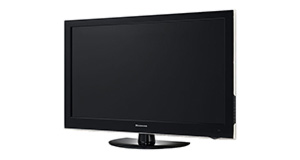
Finlux 32F8030-T overview
Number of problems: 13
Number of solved problems: 6
Number of unsolved problems: 7
Problem resolution: 46%
Compared to other tvs:
Finlux 32F8030-T: Likelihood of getting a solution
Ranking: 52nd out of 381
Most likely to get a solution:
Samsung PS51F8500 - problem resolution score of 100%
Samsung PS51F8500 - problem resolution score of 100%
Least likely to get a solution:
Toshiba 32BV701B - 5 out of 14 problems solved
Toshiba 32BV701B - 5 out of 14 problems solved
Solved problem list for the Finlux 32F8030-T
(Click on a problem to see the solution)The picture is very poor on freeview. I get interference, blocks appearing, clicking sounds and a generally unwatchable picture.
How do I connect my computer to my TV? I can't seem to get any sound.
I get a green or blue screen, but I can hear the sound coming from the TV channel.
Picture has speckles or sparkles while watching.
Picture comes on, then goes off, sometimes flickers.
The screen on my tv is black no picture and the tv won't come on got power but nothing happens
my TV wouldn't communicate with the remote for no reason i have try everything humanely possible
and the control button on the TV can't work either
The TV won't turn on.
Unsolved problem list for the Finlux 32F8030-T
(Click on a problem to comment or help)finlux tv boots and blue light starts blinking for 25 - 30 seconds and restarts again to repeat the same cycle over and over again .
Hi i put some 3d movies on my hard drive to watch on my tv, when i scroll down to 3dmovies and press ok it keeps going to parental folder i can't watch my movies can anyone help.
Audio description is OFF on menu, but I still get it. Not on all channels thank goodness!
I notice the youtube app has recently been updated however now I can no longer play any content, I am ablt to find it but it just says loading...
My 32" finlux has source list displaying all the time on left hand side of screen, can't get it off.
Blue screen and a 5 min countdown for no signal.
It all started with a new connection of HD-box.
Checked all cable-connections and card placing seem to be ok.
wont turn on gone dead
The tv turns on, says wireless display, loads and then keeps repeating this process/ rebooting
TV won't connect to the internet portal. Begins to connect and then reboots TV. The wifi connection is 100% and the YouTube app works fine?
Solutions for the Finlux 32F8030-T
0 people also had this problem.
Problem: The picture is very poor on freeview. I get interference, blocks appearing, clicking sounds and a generally unwatchable picture.
There are 0 comments on this problem.
Solution 1: This sounds like a poor signal. Go into the menu and see if you can check the signal strength. To solve this, you will need to either (1) Retune your TV to a more local transmitter, (2) Improve / reposition your TV aerial, or (3) Check the cable that connects your TV to the aerial - replacing this will be easier and cheaper that replacing the antenna.
0 out of 0 people found this solution helpful.
Was this solution helpful?
There are 0 comments on this solution.

0 people also had this problem.
Problem: How do I connect my computer to my TV? I can't seem to get any sound.
There are 0 comments on this problem.
Solution 1: You might need to send a separate audio cable to your TV, even if you're connecting via HDMI.
0 out of 0 people found this solution helpful.
Was this solution helpful?
There are 0 comments on this solution.
0 people also had this problem.
Problem: I get a green or blue screen, but I can hear the sound coming from the TV channel.
There are 0 comments on this problem.
Solution 1: Golden rule 1: Change channel and see if you can change back and make it work.
Golden rule 2: Turn it off and on again.
0 out of 0 people found this solution helpful.
Was this solution helpful?
There are 0 comments on this solution.
0 people also had this problem.
Problem: Picture has speckles or sparkles while watching.
There are 0 comments on this problem.
Solution 1: This is likely to be a cable problem. Try with a different cable if you have one handy. Cheaper cables are more likely to do this, particularly if they are quite long (over 5 metres)
0 out of 0 people found this solution helpful.
Was this solution helpful?
There are 0 comments on this solution.


