

|
|


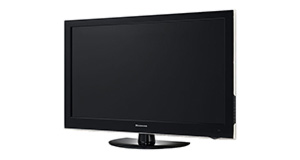
Logik L22FED13 overview
Number of problems: 44
Number of solved problems: 14
Number of unsolved problems: 30
Problem resolution: 32%
Compared to other tvs:
Logik L22FED13: Likelihood of getting a solution
Ranking: 36th out of 381
Most likely to get a solution:
Samsung PS51F8500 - problem resolution score of 100%
Samsung PS51F8500 - problem resolution score of 100%
Least likely to get a solution:
Toshiba 32BV701B - 5 out of 14 problems solved
Toshiba 32BV701B - 5 out of 14 problems solved
Solved problem list for the Logik L22FED13
(Click on a problem to see the solution)The TV won't turn on.
The screen has s lock on it and can't get passed
Unsolved problem list for the Logik L22FED13
(Click on a problem to comment or help)TV stuck on page which has four icons . Photo music movie and text. Remote doesn't work and I can't get off this page and back to normal TV. Keeps telling me no device found
DVD is saying no signal. TV works
When my TV is switched off and unplugged the remote sensor flashes approximately every half hour. Even when the TV is unplugged the remote sensor on the TV will still flash
there a commentry running over programmes as if they are for the blind how do i switch it off
There seem to be many people experiencing the same problem , ie the power suddenly switching itself off. However no satisfactory solution has appeared...just the usual checking fuse/ leads/ power supply etc.
Is there a fundamental fault with the Logik models which cUses this?
My screen went blank and standby light vanished whilst I was watching.
24" Digital LCD TV Always reverts to another channel and therefore doesn`t record the set program
Hi
The TV says "no signal" but it is not the ariel since we have used the same cable on other TVs sets and they work.
One year old TV seizes up in standby mode with red light showing. Does not react to remote or on/off switch, the display light remains red.
Unplug and plug back in resurrects the TV but it takes more and more attempts to do it. Plugging back in the display light goes blue but the TV is dead, eventually, after several attempts, it will briefly go blue then red and the TV will work.
Logik 22" full HD LED TV with DVD Player
Connected sky box to HDMI connection,has been fine for years. Now it's started switching to DVD channel and won't switch back when you try by remote. Have to turn TV off / then back on and only then you can use remote to choose HDMI again. It can happen several times whilst watching it.
Logik 22" full HD LED TV with DVD Player
Connected sky box to HDMI connection,has been fine for years. Now it's started switching to DVD channel and won't switch back when you try by remote. Have to turn TV off / then back on and only then you can use remote to choose HDMI again. It can happen several times whilst watching it.
Solutions for the Logik L22FED13
1 person also had this problem.
Problem: The TV won't turn on.
There are 0 comments on this problem.
Solution 1: First solution: check the power. Yes, I know it's obvious, but if the fuse has gone in the plug, if the cable is loose or if you've overlooked a second power switch, this might be your problem. If you have any indication of power at all (e.g. power light), you can discount this.
Alternative Solution: Is the plug in/on also have you checked the cables are in correctly (it's worth checking them over)
0 out of 0 people found this solution helpful.
Was this solution helpful?
There are 0 comments on this solution.

0 people also had this problem.
Problem: The screen has s lock on it and can't get passed
There are 0 comments on this problem.
Solution 1: For red padlock and blue screen press and hold music button on your remote.i just did and it helped.Nelly Manatha
0 out of 0 people found this solution helpful.
Was this solution helpful?
There are 0 comments on this solution.


