

|
|


Spotlight: Printers
Top ten brands: Printers...
...in terms of customers getting their problems solved on this site:
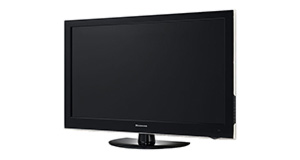
Solved problem list for the Panasonic Viera TX-L24C5B
(Click on a problem to see the solution)The TV won't turn on.
The picture is very poor on freeview. I get interference, blocks appearing, clicking sounds and a generally unwatchable picture.
How do I connect my computer to my TV? I can't seem to get any sound.
I get a green or blue screen, but I can hear the sound coming from the TV channel.
Picture has speckles or sparkles while watching.
Picture comes on, then goes off, sometimes flickers.
Control problems Remote commands delay. ie if I am watching andchange channel the number may take up to 30 secs to appear on screen. with no sign that the command has been received. If a second command is sent before the first is executed the first will be obeyed followed immediately by the second. Abut 50% of the time all works normally. Have tried alternative remote control same effect.
Unsolved problem list for the Panasonic Viera TX-L24C5B
(Click on a problem to comment or help)There are no unsolved problems listed on our records for this TV. To submit a problem or give a solution for an unsolved problem, please see the section below.
Solutions for the Panasonic Viera TX-L24C5B
0 people also had this problem.
Problem: The TV won't turn on.
There are 0 comments on this problem.
Solution 1: First solution: check the power. Yes, I know it's obvious, but if the fuse has gone in the plug, if the cable is loose or if you've overlooked a second power switch, this might be your problem. If you have any indication of power at all (e.g. power light), you can discount this.
Alternative Solution: Is the plug in/on also have you checked the cables are in correctly (it's worth checking them over)
0 out of 0 people found this solution helpful.
Was this solution helpful?
There are 0 comments on this solution.

0 people also had this problem.
Problem: The picture is very poor on freeview. I get interference, blocks appearing, clicking sounds and a generally unwatchable picture.
There are 0 comments on this problem.
Solution 1: This sounds like a poor signal. Go into the menu and see if you can check the signal strength. To solve this, you will need to either (1) Retune your TV to a more local transmitter, (2) Improve / reposition your TV aerial, or (3) Check the cable that connects your TV to the aerial - replacing this will be easier and cheaper that replacing the antenna.
0 out of 0 people found this solution helpful.
Was this solution helpful?
There are 0 comments on this solution.
0 people also had this problem.
Problem: How do I connect my computer to my TV? I can't seem to get any sound.
There are 0 comments on this problem.
Solution 1: You might need to send a separate audio cable to your TV, even if you're connecting via HDMI.
0 out of 0 people found this solution helpful.
Was this solution helpful?
There are 0 comments on this solution.
0 people also had this problem.
Problem: I get a green or blue screen, but I can hear the sound coming from the TV channel.
There are 0 comments on this problem.
Solution 1: Golden rule 1: Change channel and see if you can change back and make it work.
Golden rule 2: Turn it off and on again.
0 out of 0 people found this solution helpful.
Was this solution helpful?
There are 0 comments on this solution.


