

|
|


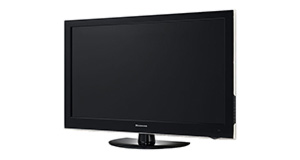
Logik L22FED13 overview
Number of problems: 44
Number of solved problems: 14
Number of unsolved problems: 30
Problem resolution: 32%
Compared to other tvs:
Logik L22FED13: Likelihood of getting a solution
Ranking: 36th out of 381
Most likely to get a solution:
Samsung PS51F8500 - problem resolution score of 100%
Samsung PS51F8500 - problem resolution score of 100%
Least likely to get a solution:
Toshiba 32BV701B - 5 out of 14 problems solved
Toshiba 32BV701B - 5 out of 14 problems solved
Solved problem list for the Logik L22FED13
(Click on a problem to see the solution)The TV won't turn on.
The screen has s lock on it and can't get passed
Unsolved problem list for the Logik L22FED13
(Click on a problem to comment or help)HAVING TO ALWAYS RE-TUNE AND HAVE PROBLEM GETTING BBC CHANNELS. GET THE NO SIGNAL SIGN UP LOTS, AND WHEN TO RE-TUNE MOST TIME NOTHING PICKS UP ITEXCEPT THE RADIO, WHAT CAN I DO,
How do I get my built-in dvd player to get signal as it has no signal and won't load/work
cant program my sky plus remote to my tv cant find the right code help
DVD does not play/unable to eject DVD
"I've just bought new set. When first switched on it comes up 'no signal' (manual says it should go to auto set-up). I've checked the aerial socket and lead with another tv set and it's fine. What should I do?"
I've just bought new set. When first switched on it comes up 'no signal' (manual says it should go to auto set-up). I've checked the aerial socket and lead with another tv set and it's fine. What should I do?
Solutions for the Logik L22FED13
1 person also had this problem.
Problem: The TV won't turn on.
There are 0 comments on this problem.
Solution 1: First solution: check the power. Yes, I know it's obvious, but if the fuse has gone in the plug, if the cable is loose or if you've overlooked a second power switch, this might be your problem. If you have any indication of power at all (e.g. power light), you can discount this.
Alternative Solution: Is the plug in/on also have you checked the cables are in correctly (it's worth checking them over)
0 out of 0 people found this solution helpful.
Was this solution helpful?
There are 0 comments on this solution.

0 people also had this problem.
Problem: The screen has s lock on it and can't get passed
There are 0 comments on this problem.
Solution 1: For red padlock and blue screen press and hold music button on your remote.i just did and it helped.Nelly Manatha
0 out of 0 people found this solution helpful.
Was this solution helpful?
There are 0 comments on this solution.


