

|
|


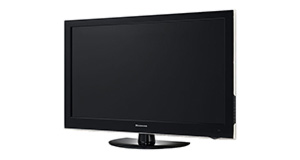
JVC LT32DA52J overview
Number of problems: 13
Number of solved problems: 6
Number of unsolved problems: 7
Problem resolution: 46%
Compared to other tvs:
JVC LT32DA52J: Likelihood of getting a solution
Ranking: 52nd out of 381
Most likely to get a solution:
Samsung PS51F8500 - problem resolution score of 100%
Samsung PS51F8500 - problem resolution score of 100%
Least likely to get a solution:
Toshiba 32BV701B - 5 out of 14 problems solved
Toshiba 32BV701B - 5 out of 14 problems solved
Solved problem list for the JVC LT32DA52J
(Click on a problem to see the solution)The picture is very poor on freeview. I get interference, blocks appearing, clicking sounds and a generally unwatchable picture.
How do I connect my computer to my TV? I can't seem to get any sound.
I get a green or blue screen, but I can hear the sound coming from the TV channel.
Picture has speckles or sparkles while watching.
Picture comes on, then goes off, sometimes flickers.
Where is the power button on TV itself??
The TV won't turn on.
Unsolved problem list for the JVC LT32DA52J
(Click on a problem to comment or help)Jump to page:
[1] [2]
The TV turns on and volume is ok but the screen is almost as though the brightness has been turned right down - you can just about see the shadow of the programme in the background.
Tv works really well only thing is playin films from a usb download. Can't get them to play tried all resolutions on the tv an still no joy. The usb works on all our other tvs
The TV has power and gets as far as the blue light on the bottom flashing, but does not fire up to any kind of display
I have just brought this tv for my mum as the one she has also a jvc is to small but it sounds so tiney ive tried to change by using equalizer buy does not make much diffrence
Where are the buttons to use when the remote is broken
now and again the picture loses cohesion (as if the tv has lost signal), there is a high pitched squeal from the speakers and the tv switches it self off, it then comes back on as if it has reset itself,
Cannot find how to install my sky box, freeview is installed.
When I try to use the usb port to watch avi movies, the screen informs me that all my avi files wont play/not supported file. Is there something I can do in the tv settings page I can do to be able to play my avi files?
Thanks
mick
Just bought tv will not switch on. Blue light flashes about 10 times, brief flicker on screen then nothing
Solutions for the JVC LT32DA52J
0 people also had this problem.
Problem: The picture is very poor on freeview. I get interference, blocks appearing, clicking sounds and a generally unwatchable picture.
There are 0 comments on this problem.
Solution 1: This sounds like a poor signal. Go into the menu and see if you can check the signal strength. To solve this, you will need to either (1) Retune your TV to a more local transmitter, (2) Improve / reposition your TV aerial, or (3) Check the cable that connects your TV to the aerial - replacing this will be easier and cheaper that replacing the antenna.
0 out of 0 people found this solution helpful.
Was this solution helpful?
There are 0 comments on this solution.

0 people also had this problem.
Problem: How do I connect my computer to my TV? I can't seem to get any sound.
There are 0 comments on this problem.
Solution 1: You might need to send a separate audio cable to your TV, even if you're connecting via HDMI.
0 out of 0 people found this solution helpful.
Was this solution helpful?
There are 0 comments on this solution.
0 people also had this problem.
Problem: I get a green or blue screen, but I can hear the sound coming from the TV channel.
There are 0 comments on this problem.
Solution 1: Golden rule 1: Change channel and see if you can change back and make it work.
Golden rule 2: Turn it off and on again.
0 out of 0 people found this solution helpful.
Was this solution helpful?
There are 0 comments on this solution.
0 people also had this problem.
Problem: Picture has speckles or sparkles while watching.
There are 0 comments on this problem.
Solution 1: This is likely to be a cable problem. Try with a different cable if you have one handy. Cheaper cables are more likely to do this, particularly if they are quite long (over 5 metres)
0 out of 0 people found this solution helpful.
Was this solution helpful?
There are 0 comments on this solution.


