

|
|


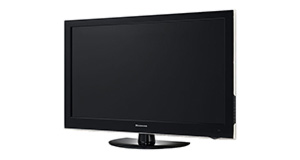
Sandstrom S32HED13 overview
Number of problems: 16
Number of solved problems: 4
Number of unsolved problems: 12
Problem resolution: 25%
Compared to other tvs:
Sandstrom S32HED13: Likelihood of getting a solution
Ranking: 56th out of 381
Most likely to get a solution:
Samsung PS51F8500 - problem resolution score of 100%
Samsung PS51F8500 - problem resolution score of 100%
Least likely to get a solution:
Toshiba 32BV701B - 5 out of 14 problems solved
Toshiba 32BV701B - 5 out of 14 problems solved
Solved problem list for the Sandstrom S32HED13
(Click on a problem to see the solution)I get a green or blue screen, but I can hear the sound coming from the TV channel.
Picture has speckles or sparkles while watching.
Picture comes on, then goes off, sometimes flickers.
The picture is very poor on freeview. I get interference, blocks appearing, clicking sounds and a generally unwatchable picture.
The TV won't turn on.
When i turn on my TV, i can see the green light to indicate it is on. The TV then starts to make noises as if the DVD is being ejected. The TV remains black and nothings happens.
Sandstrom S24LED11 TV. when i do a scan manual or auto i only get 4 channels i am on cable tv only with virgin media ireland. my location is dublin. The country options are UK and more from europe only, not ireland. The amount of channels i should get is around 20. Do i need a usb software update as i have tried all the sources .
How do I connect my computer to my TV? I can't seem to get any sound.
Unsolved problem list for the Sandstrom S32HED13
(Click on a problem to comment or help)The DVD player keeps taking over, even though there's no disc in it. It then says it can't find a disc and won't let you switch back to normal TV or HDMI.
TV does not turn on. Green light is on. Have to wait sometimes 20 mins.
It just suddenly comes on when it feels like it!!
I have just purchased a sandstrom s32hed13 tv, but had no manual with it, where can I get one, or could somebody very kindly email me a copy of theirs.
Why do I not have any HD channels?
Why do I not have any HD channels?
Using a scart to connect my humax freeview box to the TV it always starts up with the screen size as a square foramt instead of wide screen. I have to slelct the correct screen size every time I switch it in. Any ideas how to stop this happening.
I NEED THE TV CODE TO PUT INTO MY HUMAX HRD - FIX T2 REMOTE CONTROL
The tv will not turn on. Stand by light is luminated so no problem with the fuse. Checked cables and switched off at switch as suggested by the manual. Still no joy.
Solutions for the Sandstrom S32HED13
0 people also had this problem.
Problem: I get a green or blue screen, but I can hear the sound coming from the TV channel.
There are 0 comments on this problem.
Solution 1: Golden rule 1: Change channel and see if you can change back and make it work.
Golden rule 2: Turn it off and on again.
0 out of 0 people found this solution helpful.
Was this solution helpful?
There are 0 comments on this solution.

0 people also had this problem.
Problem: Picture has speckles or sparkles while watching.
There are 0 comments on this problem.
Solution 1: This is likely to be a cable problem. Try with a different cable if you have one handy. Cheaper cables are more likely to do this, particularly if they are quite long (over 5 metres)
0 out of 0 people found this solution helpful.
Was this solution helpful?
There are 0 comments on this solution.
0 people also had this problem.
Problem: Picture comes on, then goes off, sometimes flickers.
There are 0 comments on this problem.
Solution 1: Probably a loose cable connection. Try fiddling around with the cable while it's on and see if it helps.
0 out of 0 people found this solution helpful.
Was this solution helpful?
There are 0 comments on this solution.
1 person also had this problem.
Problem: The picture is very poor on freeview. I get interference, blocks appearing, clicking sounds and a generally unwatchable picture.
There is 1 comment on this problem.
Show/Hide
- I have the same problem. Connected another tv to the same aerial source and picture is fine so it must be the tv tuner. Only happens over a specific frequency range mainly ITV, and guess what it is just out of warranty. Hope this helps someone.
Helpful: 0/0 Do you think this comment was helpful?
Solution 1: This sounds like a poor signal. Go into the menu and see if you can check the signal strength. To solve this, you will need to either (1) Retune your TV to a more local transmitter, (2) Improve / reposition your TV aerial, or (3) Check the cable that connects your TV to the aerial - replacing this will be easier and cheaper that replacing the antenna.
0 out of 0 people found this solution helpful.
Was this solution helpful?
There are 0 comments on this solution.


