

|
|


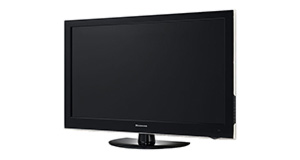
Sony Bravia KDL-19BX200 overview
Number of problems: 7
Number of solved problems: 5
Number of unsolved problems: 2
Problem resolution: 71%
Compared to other tvs:
Sony Bravia KDL-19BX200: Likelihood of getting a solution
Ranking: 232nd out of 381
Most likely to get a solution:
Samsung PS51F8500 - problem resolution score of 100%
Samsung PS51F8500 - problem resolution score of 100%
Least likely to get a solution:
Toshiba 32BV701B - 5 out of 14 problems solved
Toshiba 32BV701B - 5 out of 14 problems solved
Solved problem list for the Sony Bravia KDL-19BX200
(Click on a problem to see the solution)The picture is very poor on freeview. I get interference, blocks appearing, clicking sounds and a generally unwatchable picture.
How do I connect my computer to my TV? I can't seem to get any sound.
I get a green or blue screen, but I can hear the sound coming from the TV channel.
Picture has speckles or sparkles while watching.
Picture comes on, then goes off, sometimes flickers.
The TV won't turn on.
The TV won't turn on.
Unsolved problem list for the Sony Bravia KDL-19BX200
(Click on a problem to comment or help)"how to access menu service kdl-19bx200"
how to access menu service kdl-19bx200
Solutions for the Sony Bravia KDL-19BX200
0 people also had this problem.
Problem: The picture is very poor on freeview. I get interference, blocks appearing, clicking sounds and a generally unwatchable picture.
There are 0 comments on this problem.
Solution 1: This sounds like a poor signal. Go into the menu and see if you can check the signal strength. To solve this, you will need to either (1) Retune your TV to a more local transmitter, (2) Improve / reposition your TV aerial, or (3) Check the cable that connects your TV to the aerial - replacing this will be easier and cheaper that replacing the antenna.
0 out of 0 people found this solution helpful.
Was this solution helpful?
There are 0 comments on this solution.

0 people also had this problem.
Problem: How do I connect my computer to my TV? I can't seem to get any sound.
There are 0 comments on this problem.
Solution 1: You might need to send a separate audio cable to your TV, even if you're connecting via HDMI.
0 out of 0 people found this solution helpful.
Was this solution helpful?
There are 0 comments on this solution.
0 people also had this problem.
Problem: I get a green or blue screen, but I can hear the sound coming from the TV channel.
There are 0 comments on this problem.
Solution 1: Golden rule 1: Change channel and see if you can change back and make it work.
Golden rule 2: Turn it off and on again.
0 out of 0 people found this solution helpful.
Was this solution helpful?
There are 0 comments on this solution.
0 people also had this problem.
Problem: Picture has speckles or sparkles while watching.
There are 0 comments on this problem.
Solution 1: This is likely to be a cable problem. Try with a different cable if you have one handy. Cheaper cables are more likely to do this, particularly if they are quite long (over 5 metres)
0 out of 0 people found this solution helpful.
Was this solution helpful?
There are 0 comments on this solution.


