

|
|


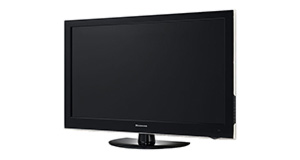
Logik L22FED13 overview
Number of problems: 44
Number of solved problems: 14
Number of unsolved problems: 30
Problem resolution: 32%
Compared to other tvs:
Logik L22FED13: Likelihood of getting a solution
Ranking: 36th out of 381
Most likely to get a solution:
Samsung PS51F8500 - problem resolution score of 100%
Samsung PS51F8500 - problem resolution score of 100%
Least likely to get a solution:
Toshiba 32BV701B - 5 out of 14 problems solved
Toshiba 32BV701B - 5 out of 14 problems solved
Solved problem list for the Logik L22FED13
(Click on a problem to see the solution)The TV won't turn on.
The screen has s lock on it and can't get passed
Unsolved problem list for the Logik L22FED13
(Click on a problem to comment or help)hello my l22fed13 dvd not read it
i live in america and a friend from england brought over this tv with the dvd so we could watch uk dvds. can we hook an american dvd and vhs player to this tv?
Hi we have model L17LID648 keep getting a message CI module not inserted and screen stops then get a message CI module removed I have tried everything but no luck any advice would be appreciated
HOW DO I GET BACK TO TV CHANNELS HAS I TRYED EVER THING TO GET DVD OFF THE SCREEN AND WILL LET ME GO TO AUTO TUNING
Logik L32HE12 [ without dvd player}
when i put the t.v on, the light { bottom right corner} lights up blue but t.v does not come on. This happens 9 out of 10 times, when the red light does come on {stand by} when t.v is switched on, it sometimes changes to blue and on this occassion i am able to use remote to switch it on , hooray!! When i can get the t.v to come on, there are no other problems with the t.v. It is just the blue /red light problem!!
Please can you help , t.v is 3 years old.
IT IS A LOGIC L22FEDW15.
I BOUGHT AND TUNED IT IN UK.
BUT I HAVE BROUGHT TO GHANA AND THERE IS NO PICTURE NO SOUND.
I RE-TUNED IT USING UK SITE BUT STILL NO PICTURE, NO SOUND. CAN YOU HELP?
THANK YOU
I have mislaid receipt and need to retune my tv but i dont have the 4 number code needed. The tv is Logik 22" led L22 fed13. Thanks Kathleen
when I turn on my yv it goes straight to scan and it says do not power off and i waited about 2 hours nothing it still says scan
I cannot get BBC 1 or 2 on my new tv does anyone know why this is.
Power light is on, grey screen with vertical grey background lines and prominent white horizontal at the front top
Solutions for the Logik L22FED13
1 person also had this problem.
Problem: The TV won't turn on.
There are 0 comments on this problem.
Solution 1: First solution: check the power. Yes, I know it's obvious, but if the fuse has gone in the plug, if the cable is loose or if you've overlooked a second power switch, this might be your problem. If you have any indication of power at all (e.g. power light), you can discount this.
Alternative Solution: Is the plug in/on also have you checked the cables are in correctly (it's worth checking them over)
0 out of 0 people found this solution helpful.
Was this solution helpful?
There are 0 comments on this solution.

0 people also had this problem.
Problem: The screen has s lock on it and can't get passed
There are 0 comments on this problem.
Solution 1: For red padlock and blue screen press and hold music button on your remote.i just did and it helped.Nelly Manatha
0 out of 0 people found this solution helpful.
Was this solution helpful?
There are 0 comments on this solution.


