

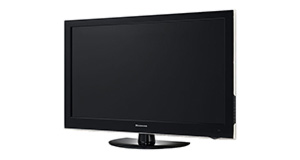
Logik L22FED13 overview

Number of problems: 44

Number of solved problems: 14

Number of unsolved problems: 30

Problem resolution: 32%

Compared to other tvs:

Logik L22FED13: Likelihood of getting a solution

Excellent 
Ranking: 36th out of 381
Most likely to get a solution:
Samsung PS51F8500 - problem resolution score of 100%
Least likely to get a solution:
Toshiba 32BV701B - 5 out of 14 problems solved
Common problems with the Logik L22FED13
Unsolved problem list for the Logik L22FED13
(Click on a problem to comment or help)

Jump to page: [1] [2] [3] ... [11]

HELLO I CAN VIEW THE CHANNELS CLEARLY BUT THERE IS NO SOUND


hi - i have not used this tv for about a year when it was working fine.
now - on switching it on about 1 third of the screen is in muted colours.... anyone know what could be wrong?


I have an L24FED13 TV. This set has worked fine for over 3 years. We don't use the DVD mode at all. Now, intermittently the DVD drive spins at what sounds like full speed all the time, whether there is a disc in it or not. It makes a hell of a row, making watching any TV almost impossible. It also sometimes switches to DVD mode whilst you are watching TV. Any ideas?


Remote does not work.Have put new batteries in,but remote had been without batteries for a while.


My logic tv is stuck on 1 channel and it wont move the remote is fine but when I try to use it goes to showing the channel menu can you help guys


I have a Logik L22FED13 and had it connected to a VHS, a DVD player and an Induction loop. It worked well for some time but then it started to lose around half of the channels with poor signal quality. I disconnected all of the above devices and the TV worked OK. Can anyone tell me how its possible to connect the above devices correctly so that it doesn't lose channels?


Tv dvd combi has been unplugged for a while now it's asking for a passcode? I've never set one up so not sure how to get the tv to work again?


My 3 year old logic TV combi wont stop scanning for channels unless I un plug it and plug it back in time and time again.
any idea's please?


We are trying to get Freeview on the TV but it keeps coming up with 'no signal' We have an aerial plugged into the TV but we don't know what else to do.


Logik tv has a red padlock on the right side of screen and the screen is blank


Solutions for the Logik L22FED13
0 people also had this problem.

Problem: The picture is very poor on freeview. I get interference, blocks appearing, clicking sounds and a generally unwatchable picture.

There are 0 comments on this problem.

Solution 1: This sounds like a poor signal. Go into the menu and see if you can check the signal strength. To solve this, you will need to either (1) Retune your TV to a more local transmitter, (2) Improve / reposition your TV aerial, or (3) Check the cable that connects your TV to the aerial - replacing this will be easier and cheaper that replacing the antenna.
0 out of 0 people found this solution helpful.
Was this solution helpful?
There are 0 comments on this solution.

Post comments, submit alternative solutions or receive notifications


0 people also had this problem.

Problem: How do I connect my computer to my TV? I can't seem to get any sound.

There are 0 comments on this problem.

Solution 1: You might need to send a separate audio cable to your TV, even if you're connecting via HDMI.
0 out of 0 people found this solution helpful.
Was this solution helpful?
There are 0 comments on this solution.

Post comments, submit alternative solutions or receive notifications


0 people also had this problem.

Problem: I get a green or blue screen, but I can hear the sound coming from the TV channel.

There are 0 comments on this problem.

Solution 1: Golden rule 1: Change channel and see if you can change back and make it work.
Golden rule 2: Turn it off and on again.
0 out of 0 people found this solution helpful.
Was this solution helpful?
There are 0 comments on this solution.

Post comments, submit alternative solutions or receive notifications


0 people also had this problem.

Problem: Picture has speckles or sparkles while watching.

There are 0 comments on this problem.

Solution 1: This is likely to be a cable problem. Try with a different cable if you have one handy. Cheaper cables are more likely to do this, particularly if they are quite long (over 5 metres)
0 out of 0 people found this solution helpful.
Was this solution helpful?
There are 0 comments on this solution.

Post comments, submit alternative solutions or receive notifications


0 people also had this problem.

Problem: Picture comes on, then goes off, sometimes flickers.

There are 0 comments on this problem.

Solution 1: Probably a loose cable connection. Try fiddling around with the cable while it's on and see if it helps.
0 out of 0 people found this solution helpful.
Was this solution helpful?
There are 0 comments on this solution.

Post comments, submit alternative solutions or receive notifications


3 people also had this problem.

Problem: Hi, a friend of mine tried to use a usb stick to watch a vid.
Ok, fine so far, selects USB , clicks on the vid, it starts playin in a small window on the rite.
Instructions say,to click ok or i button to get function bar display...........
Here it goes wrong!
It wont display the function bar.
Can ne one help.................

There is 1 comment on this problem. Show/Hide
- I have the same problem, I have tried every button on this remote control and nothing, no function bar anywhere, no help whatsoever, any other ideas

Thanks
Helpful: 0/0     Do you think this comment was helpful?

Solution 1: Try clicking the play button which should enlarge the picture to full screen?
1 out of 2 people found this solution helpful.
Was this solution helpful?
There are 0 comments on this solution.

Post comments, submit alternative solutions or receive notifications


0 people also had this problem.

Problem: Code for sky remote control

There are 0 comments on this problem.

Solution 1: Menu-Options-reset factory settings- will automatic retune.
0 out of 0 people found this solution helpful.
Was this solution helpful?
There are 0 comments on this solution.

Post comments, submit alternative solutions or receive notifications


0 people also had this problem.

Problem: Recording TV programmes using USB. Can it record more than one programme. Set it to record two programmes but only recorded one?

There are 0 comments on this problem.

Solution 1: As the TV only has one tuner it is incapable of recording more than one programme at a time.
0 out of 0 people found this solution helpful.
Was this solution helpful?
There are 0 comments on this solution.

Post comments, submit alternative solutions or receive notifications


1 person also had this problem.

Problem: HOW DO I GET BACK TO TV CHANNELS HAS I TRYED EVER THING TO GET DVD OFF THE SCREEN AND WILL LET ME GO TO AUTO TUNING

There are 0 comments on this problem.

Solution 1: Try pressing the 'input' button on the remote. This should bring up a list of input choices: DTV (Digital TV), ATV (Analogue TV), DVD etc. Press the 'up' key to select DTV, press OK and you should see the tv again. This is what I have to do each time the tv is turned back on.
0 out of 4 people found this solution helpful.
Was this solution helpful?
There are 0 comments on this solution.

Post comments, submit alternative solutions or receive notifications


2 people also had this problem.

Problem: Why do i not have any sound on ITV yet i have sound on all the other channels

There are 0 comments on this problem.

Solution 1: Sounds like a transmission fault or interference problem. Try the same channel on another TV to rule out a fault. If the problem doesn't occur on another TV, try connecting this one to the aerial from the other TV. If the fault clears then the aerial / socket may need attention. Otherwise, try going into the setup menu and retuning all the channels (normally shown as auto install). Failing this a factory reset procedure may cure the fault. Good luck!
1 out of 1 person found this solution helpful.
Was this solution helpful?
There are 0 comments on this solution.

Post comments, submit alternative solutions or receive notifications


Jump to page: [1] [2] [3]

Post a new question about the Logik L22FED13
All problems on this page have been submitted and answered by users. If you have a problem with the Logik L22FED13, please submit it below and we'll post it here.

Details of your problem:
Please ensure that the above box is not empty


Please note that all problems are moderated.


  Back to top
Solve an unsolved problem for the Logik L22FED13

Can you help?
If you can solve a currently unsolved problem, please select the problem you can solve from the list below.
Even if you can't solve it, you can still comment on problems if you think it would help.


Jump to page: [1] [2] [3] ... [11]
0 people also had this problem.

Problem: HELLO I CAN VIEW THE CHANNELS CLEARLY BUT THERE IS NO SOUND

There are 0 comments on this problem.

Post solution, add your comments or receive notifications


0 people also had this problem.

Problem: hi - i have not used this tv for about a year when it was working fine.
now - on switching it on about 1 third of the screen is in muted colours.... anyone know what could be wrong?

There are 0 comments on this problem.

Post solution, add your comments or receive notifications


0 people also had this problem.

Problem: I have an L24FED13 TV. This set has worked fine for over 3 years. We don't use the DVD mode at all. Now, intermittently the DVD drive spins at what sounds like full speed all the time, whether there is a disc in it or not. It makes a hell of a row, making watching any TV almost impossible. It also sometimes switches to DVD mode whilst you are watching TV. Any ideas?

There are 0 comments on this problem.

Post solution, add your comments or receive notifications


0 people also had this problem.

Problem: Remote does not work.Have put new batteries in,but remote had been without batteries for a while.

There are 0 comments on this problem.

Post solution, add your comments or receive notifications


0 people also had this problem.

Problem: My logic tv is stuck on 1 channel and it wont move the remote is fine but when I try to use it goes to showing the channel menu can you help guys

There are 0 comments on this problem.

Post solution, add your comments or receive notifications


0 people also had this problem.

Problem: I have a Logik L22FED13 and had it connected to a VHS, a DVD player and an Induction loop. It worked well for some time but then it started to lose around half of the channels with poor signal quality. I disconnected all of the above devices and the TV worked OK. Can anyone tell me how its possible to connect the above devices correctly so that it doesn't lose channels?

There are 0 comments on this problem.

Post solution, add your comments or receive notifications


0 people also had this problem.

Problem: Tv dvd combi has been unplugged for a while now it's asking for a passcode? I've never set one up so not sure how to get the tv to work again?

There are 0 comments on this problem.

Post solution, add your comments or receive notifications


0 people also had this problem.

Problem: My 3 year old logic TV combi wont stop scanning for channels unless I un plug it and plug it back in time and time again.
any idea's please?

There are 0 comments on this problem.

Post solution, add your comments or receive notifications


0 people also had this problem.

Problem: We are trying to get Freeview on the TV but it keeps coming up with 'no signal' We have an aerial plugged into the TV but we don't know what else to do.

There are 0 comments on this problem.

Post solution, add your comments or receive notifications


0 people also had this problem.

Problem: Logik tv has a red padlock on the right side of screen and the screen is blank

There are 0 comments on this problem.

Post solution, add your comments or receive notifications


Actions - No registration required
Find a TV
Akai
AquaLite Outdoor
Atec
August
Blaupunkt
Cello
Daewoo
DigiHome
Finlux
Furrion
Haier
Hannspree
Hisense
JVC
LG
Linsar
Loewe
Logik
Panasonic
Philips
Samsung
Sandstrom
Sanyo
Sharp
Sony
Soundwave
Technika
Toshiba
Visitech