

|
|


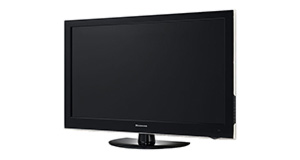
Toshiba 22D1333B overview
Number of problems: 11
Number of solved problems: 4
Number of unsolved problems: 7
Problem resolution: 36%
Compared to other tvs:
Toshiba 22D1333B: Likelihood of getting a solution
Ranking: 378th out of 381
Most likely to get a solution:
Samsung PS51F8500 - problem resolution score of 100%
Samsung PS51F8500 - problem resolution score of 100%
Least likely to get a solution:
Toshiba 32BV701B - 5 out of 14 problems solved
Toshiba 32BV701B - 5 out of 14 problems solved
Solved problem list for the Toshiba 22D1333B
(Click on a problem to see the solution)The picture is very poor on freeview. I get interference, blocks appearing, clicking sounds and a generally unwatchable picture.
How do I connect my computer to my TV? I can't seem to get any sound.
I get a green or blue screen, but I can hear the sound coming from the TV channel.
Picture comes on, then goes off, sometimes flickers.
The TV won't turn on.
TV will not turn on. TV dead as if no power. ie No standby light. Have checked and replaced mains plug fuse and remote control batteries
Picture has speckles or sparkles while watching.
Unsolved problem list for the Toshiba 22D1333B
(Click on a problem to comment or help)Jump to page:
[1] [2]
Tv is on but will not tune in. After automatic scan a message pops up saying No channels found. Tried to retune many times but no improvement. Antenna is fine.
Changed fuse, pressed the button for 3 seconds (as it says), used remote left unplugged, tuned mains off and waited 30 mins, checked the cable from the tv, checked the 4 way plug and changed to mains, will keep trying......toshiba sort it out ffs!!!
NO POWER ONLY STANDBY LIGHT FLASING GREEN/RED
When playing video files from a USB device, the device keeps disconnecting, even though I am nowhere near it and not touching it.
TV turns on but there are no text in the menu lists. All lists are blank.
Toshiba 22d13339 hardly ever used made a small click or pop noise and shut down,
checked fuse, so assume it is internal, is there a fuse inside?
I was watching the television and then it just went off. It doesn't get used that often and i was getting kids ready for school. Next morning I realised that it was a fault. Changed fuse, no change. Very disappointed if this is the end of the television or some expensive repair as it's probably out of warranty but hardly used
I came home after spending a couple days away in which time there were multiple power cuts to find that my tv isnt recieveing any power (cant even get it on stand by mode) I have checked the fuse and it is working perfectly, I have also checked the power button on the tv itself but to no success. Has anyone got any ideas as to what the problem could be? I suspect that circuitry has been fried though the fuse should have gone off if thats the case????
When I turn on my tv I select 'source' on the remote to play the dvd and then the entire thing freezes - the remote, the tv, everything. The only solution is to unplug the tv and plug it back in. When restarted the cycle starts again.
Product will not power up. LED standby flashing but remote has no effect (yes batteries are ok)switch at rear also tried but no effect. Turned mains on /off again no effect., Product is brand ,was on for 3 hours
Solutions for the Toshiba 22D1333B
0 people also had this problem.
Problem: The picture is very poor on freeview. I get interference, blocks appearing, clicking sounds and a generally unwatchable picture.
There are 0 comments on this problem.
Solution 1: This sounds like a poor signal. Go into the menu and see if you can check the signal strength. To solve this, you will need to either (1) Retune your TV to a more local transmitter, (2) Improve / reposition your TV aerial, or (3) Check the cable that connects your TV to the aerial - replacing this will be easier and cheaper that replacing the antenna.
0 out of 0 people found this solution helpful.
Was this solution helpful?
There are 0 comments on this solution.

0 people also had this problem.
Problem: How do I connect my computer to my TV? I can't seem to get any sound.
There are 0 comments on this problem.
Solution 1: You might need to send a separate audio cable to your TV, even if you're connecting via HDMI.
0 out of 0 people found this solution helpful.
Was this solution helpful?
There are 0 comments on this solution.
0 people also had this problem.
Problem: I get a green or blue screen, but I can hear the sound coming from the TV channel.
There are 0 comments on this problem.
Solution 1: Golden rule 1: Change channel and see if you can change back and make it work.
Golden rule 2: Turn it off and on again.
0 out of 0 people found this solution helpful.
Was this solution helpful?
There are 0 comments on this solution.
0 people also had this problem.
Problem: Picture comes on, then goes off, sometimes flickers.
There are 0 comments on this problem.
Solution 1: Probably a loose cable connection. Try fiddling around with the cable while it's on and see if it helps.
0 out of 0 people found this solution helpful.
Was this solution helpful?
There are 0 comments on this solution.


