

|
|


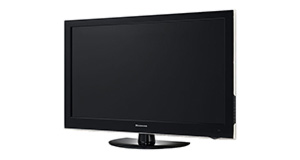
Toshiba 22DL702B overview
Number of problems: 20
Number of solved problems: 8
Number of unsolved problems: 12
Problem resolution: 40%
Compared to other tvs:
Toshiba 22DL702B: Likelihood of getting a solution
Ranking: 45th out of 381
Most likely to get a solution:
Samsung PS51F8500 - problem resolution score of 100%
Samsung PS51F8500 - problem resolution score of 100%
Least likely to get a solution:
Toshiba 32BV701B - 5 out of 14 problems solved
Toshiba 32BV701B - 5 out of 14 problems solved
Solved problem list for the Toshiba 22DL702B
(Click on a problem to see the solution)The picture is very poor on freeview. I get interference, blocks appearing, clicking sounds and a generally unwatchable picture.
How do I connect my computer to my TV? I can't seem to get any sound.
I get a green or blue screen, but I can hear the sound coming from the TV channel.
Picture has speckles or sparkles while watching.
Picture comes on, then goes off, sometimes flickers.
I can't Locate my toshiba 22DL702B combi power button. I can only switch off with the remote control.
No power up. No LED. Mains power checked OK. Fuse checked OK. I can't see any on/off button on left had side only red/green LED and infra red receiver. The push button at the rear left doesn't do anything. The TV is in a bedroom, very little used. It was unplugged to rearrange furniture and failed to power up afterwards. Toshiba support said unplug and hold down power button for 30 seconds, but it hasn't got a power button (Or is it hiding somewhere?}
Phil Thomas
The TV won't turn on.
Unsolved problem list for the Toshiba 22DL702B
(Click on a problem to comment or help)Jump to page:
[1] [2]
I plug it in switch it on the standby lights flash red and green and nothing else happens even when operating the remote control.
When I use the remote to put the TV into standby mode the red light near the bottom left of the casing comes on as normal. However after a period of time the light starts to flash alternately red and green and the TV emits an electronic type noise. In addition the TV does not respond to the remote. Hovever if I then switch the TV off at the mains and leave it for a period before switching the power back on again the TV then responds to the remote quite normally.
When I use the remote to put the TV into standby mode the red light near the bottom left of the casing comes on as normal. However after a period of time the light starts to flash alternately red and green and the TV emits an electronic type noise. In addition the TV does not respond to the remote. Hovever if I then switch the TV off at the mains and leave it for a period before switching the power back on again the TV then responds to the remote quite normally.
Tv has been working fine I then play a DVD no problem with that , but now am not able to get back to the TV!!
TV won't switch on
Cannot read a USB video file. Recognises memory, but not a standard mpeg2 file
Same issue, red light just went off, not worked since, tried the usual, fuse, changed mains socket.
Tired taking it apart but proved very difficult. Seems to me Toshiba will not admit a problem! Will not be buying Toshiba again.
Disk is stuck in DVD player how do I get it out!
I'm having the same issue. Tried the wheel button, checked the fuse. Nothing.
Plug in tv and red standby light comes on. Press 'on' button on remote and screen comes on but no picture and standby light flashes green and red. DVD takes in discs and ejects but don't know if it is actually playing as there is no picture on screen.
Solutions for the Toshiba 22DL702B
0 people also had this problem.
Problem: The picture is very poor on freeview. I get interference, blocks appearing, clicking sounds and a generally unwatchable picture.
There are 0 comments on this problem.
Solution 1: This sounds like a poor signal. Go into the menu and see if you can check the signal strength. To solve this, you will need to either (1) Retune your TV to a more local transmitter, (2) Improve / reposition your TV aerial, or (3) Check the cable that connects your TV to the aerial - replacing this will be easier and cheaper that replacing the antenna.
0 out of 0 people found this solution helpful.
Was this solution helpful?
There are 0 comments on this solution.

0 people also had this problem.
Problem: How do I connect my computer to my TV? I can't seem to get any sound.
There are 0 comments on this problem.
Solution 1: You might need to send a separate audio cable to your TV, even if you're connecting via HDMI.
0 out of 0 people found this solution helpful.
Was this solution helpful?
There are 0 comments on this solution.
0 people also had this problem.
Problem: I get a green or blue screen, but I can hear the sound coming from the TV channel.
There are 0 comments on this problem.
Solution 1: Golden rule 1: Change channel and see if you can change back and make it work.
Golden rule 2: Turn it off and on again.
0 out of 0 people found this solution helpful.
Was this solution helpful?
There are 0 comments on this solution.
0 people also had this problem.
Problem: Picture has speckles or sparkles while watching.
There are 0 comments on this problem.
Solution 1: This is likely to be a cable problem. Try with a different cable if you have one handy. Cheaper cables are more likely to do this, particularly if they are quite long (over 5 metres)
0 out of 0 people found this solution helpful.
Was this solution helpful?
There are 0 comments on this solution.


