

|
|


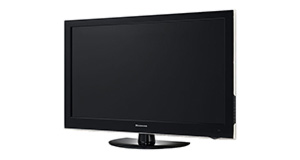
JVC LT-40DG52J overview
Number of problems: 14
Number of solved problems: 6
Number of unsolved problems: 8
Problem resolution: 43%
Compared to other tvs:
JVC LT-40DG52J: Likelihood of getting a solution
Ranking: 54th out of 381
Most likely to get a solution:
Samsung PS51F8500 - problem resolution score of 100%
Samsung PS51F8500 - problem resolution score of 100%
Least likely to get a solution:
Toshiba 32BV701B - 5 out of 14 problems solved
Toshiba 32BV701B - 5 out of 14 problems solved
Solved problem list for the JVC LT-40DG52J
(Click on a problem to see the solution)The picture is very poor on freeview. I get interference, blocks appearing, clicking sounds and a generally unwatchable picture.
How do I connect my computer to my TV? I can't seem to get any sound.
I get a green or blue screen, but I can hear the sound coming from the TV channel.
Picture has speckles or sparkles while watching.
Picture comes on, then goes off, sometimes flickers.
The TV won't turn on.
Unsolved problem list for the JVC LT-40DG52J
(Click on a problem to comment or help)Jump to page:
[1] [2]
the blue light flashes and the TV buzzes but then it stops and the TV wont turn on
the blue light flashes and the TV buzzes but then it stops and the TV wont turn on
Suddenly , some coloured textured, vertical lines appeared on the screen,after turning the unit on. The pictures is covered wit those lines and visible only partially,between them.
I am struggling to calibrate the picture on the television. Pictures appears muddy and washed out. What would you say are the optimal picture calibration settings on this television in order to get the best picture
The blue LED light that comes on ( flashes) when the set is turned on or off, comes on by itself when set not turned on or off via remote
The tv seems to make a buzzing sound, but wont turn on
Where are the buttons on the TV
My TV don't turn only has blue light that's all
Hi I've bought a second hand JVC and it won't pick up the HD channels that are broadcast on Freeview. I've done several full factory first time installations and still no joy. Will this HD telly show HD broadcasts?
When I switch on power button the blue light comes the screen comes on with a box at the bottom to do with scart. Then after a few seconds it switches off and the same process starts again.
Solutions for the JVC LT-40DG52J
0 people also had this problem.
Problem: The picture is very poor on freeview. I get interference, blocks appearing, clicking sounds and a generally unwatchable picture.
There are 0 comments on this problem.
Solution 1: This sounds like a poor signal. Go into the menu and see if you can check the signal strength. To solve this, you will need to either (1) Retune your TV to a more local transmitter, (2) Improve / reposition your TV aerial, or (3) Check the cable that connects your TV to the aerial - replacing this will be easier and cheaper that replacing the antenna.
0 out of 0 people found this solution helpful.
Was this solution helpful?
There are 0 comments on this solution.

0 people also had this problem.
Problem: How do I connect my computer to my TV? I can't seem to get any sound.
There are 0 comments on this problem.
Solution 1: You might need to send a separate audio cable to your TV, even if you're connecting via HDMI.
0 out of 0 people found this solution helpful.
Was this solution helpful?
There are 0 comments on this solution.
0 people also had this problem.
Problem: I get a green or blue screen, but I can hear the sound coming from the TV channel.
There are 0 comments on this problem.
Solution 1: Golden rule 1: Change channel and see if you can change back and make it work.
Golden rule 2: Turn it off and on again.
0 out of 0 people found this solution helpful.
Was this solution helpful?
There are 0 comments on this solution.
0 people also had this problem.
Problem: Picture has speckles or sparkles while watching.
There are 0 comments on this problem.
Solution 1: This is likely to be a cable problem. Try with a different cable if you have one handy. Cheaper cables are more likely to do this, particularly if they are quite long (over 5 metres)
0 out of 0 people found this solution helpful.
Was this solution helpful?
There are 0 comments on this solution.


